Skip to content
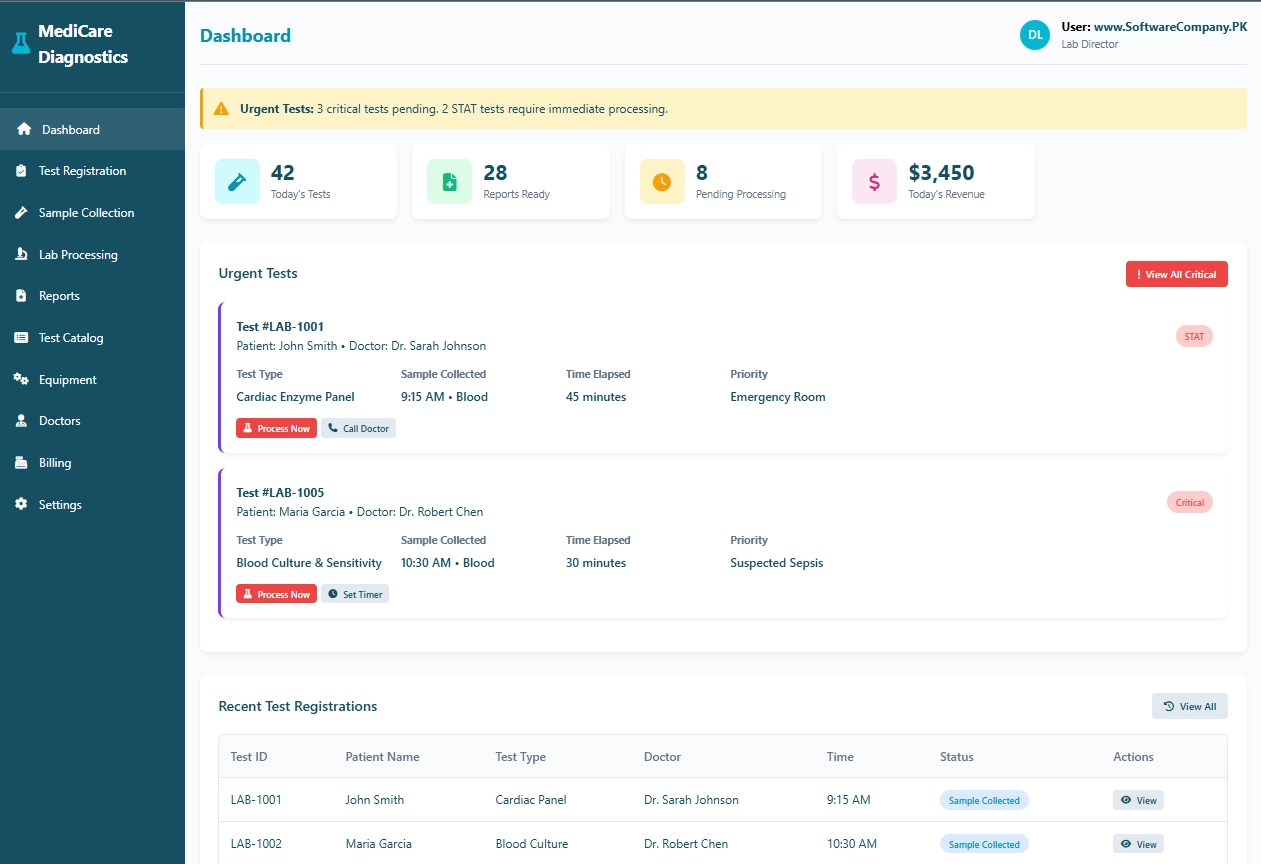 Diagnostic Center Software in Pakistan in Bhakkar
1. Dashboard
- Shows you: Main screen with center overview
- What you can do here:
- See today’s total test count
- Check how many reports are ready
- View pending tests needing processing
- See today’s revenue
- Check urgent/critical tests
- View recent test registrations
- Get alerts for STAT/emergency tests
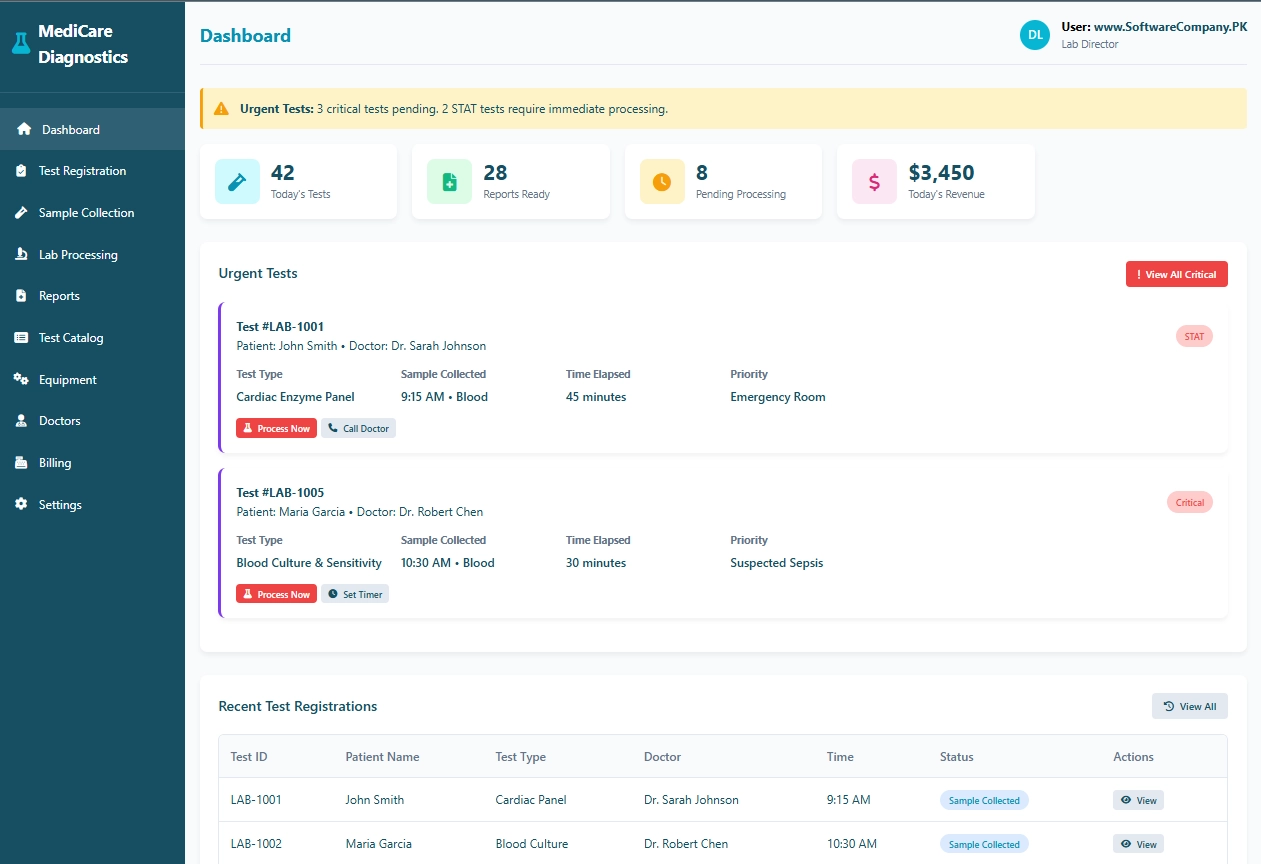 Diagnostic Center Software in Pakistan in Bhakkar
2. Test Registration
- Shows you: New patient test registration form
- What you can do here:
- Register new patients for tests
- Enter patient details (name, age, gender)
- Select referring doctor
- Choose test types from catalog
- Set test priority (routine/urgent/STAT)
- Add clinical notes
- Generate unique test ID
- Print test requisition form
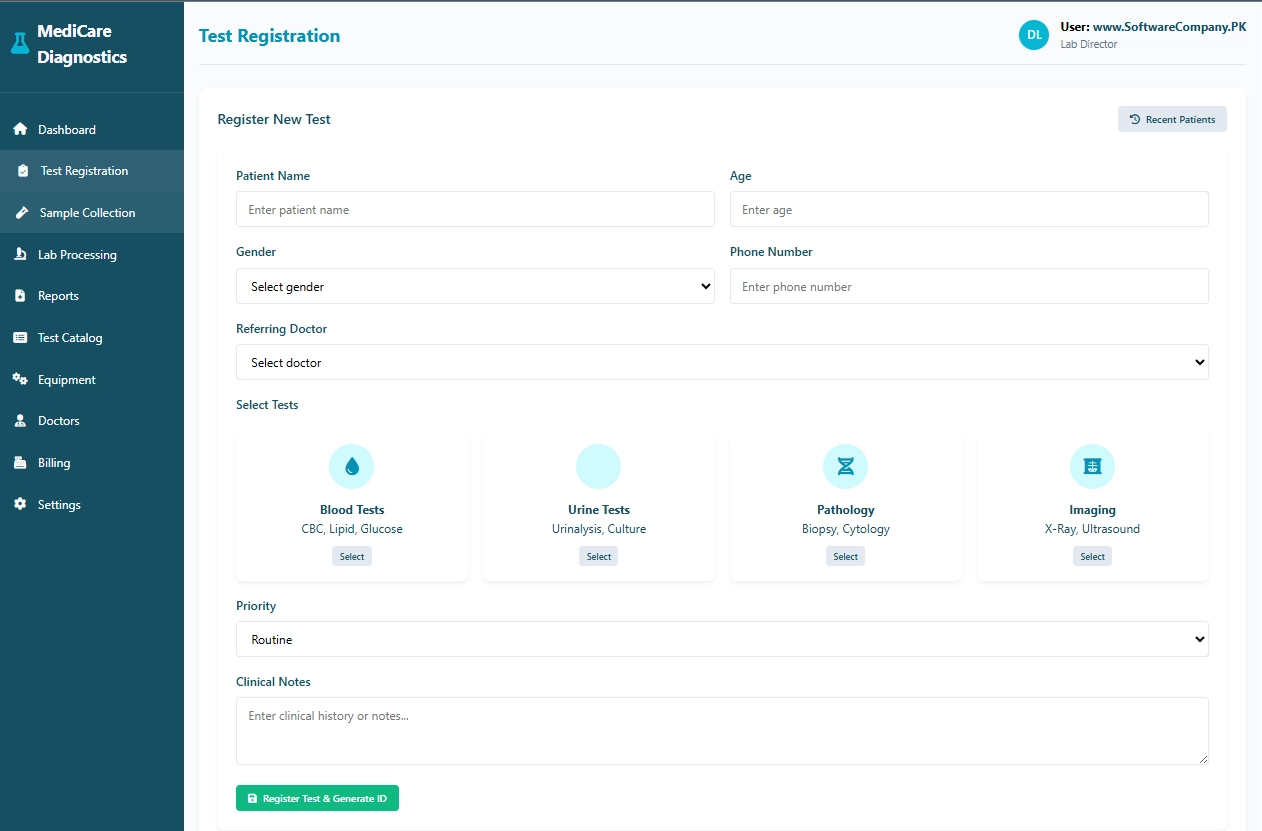 Diagnostic Center Software in Pakistan in Chiniot
3. Sample Collection
- Shows you: Patient samples waiting collection
- What you can do here:
- View patients waiting for sample collection
- See what samples are needed (blood, urine, etc.)
- Check fasting requirements
- Record sample collection time
- Assign sample IDs (barcodes)
- Track waiting times
- Update sample status to “collected”
- Send samples to lab for processing
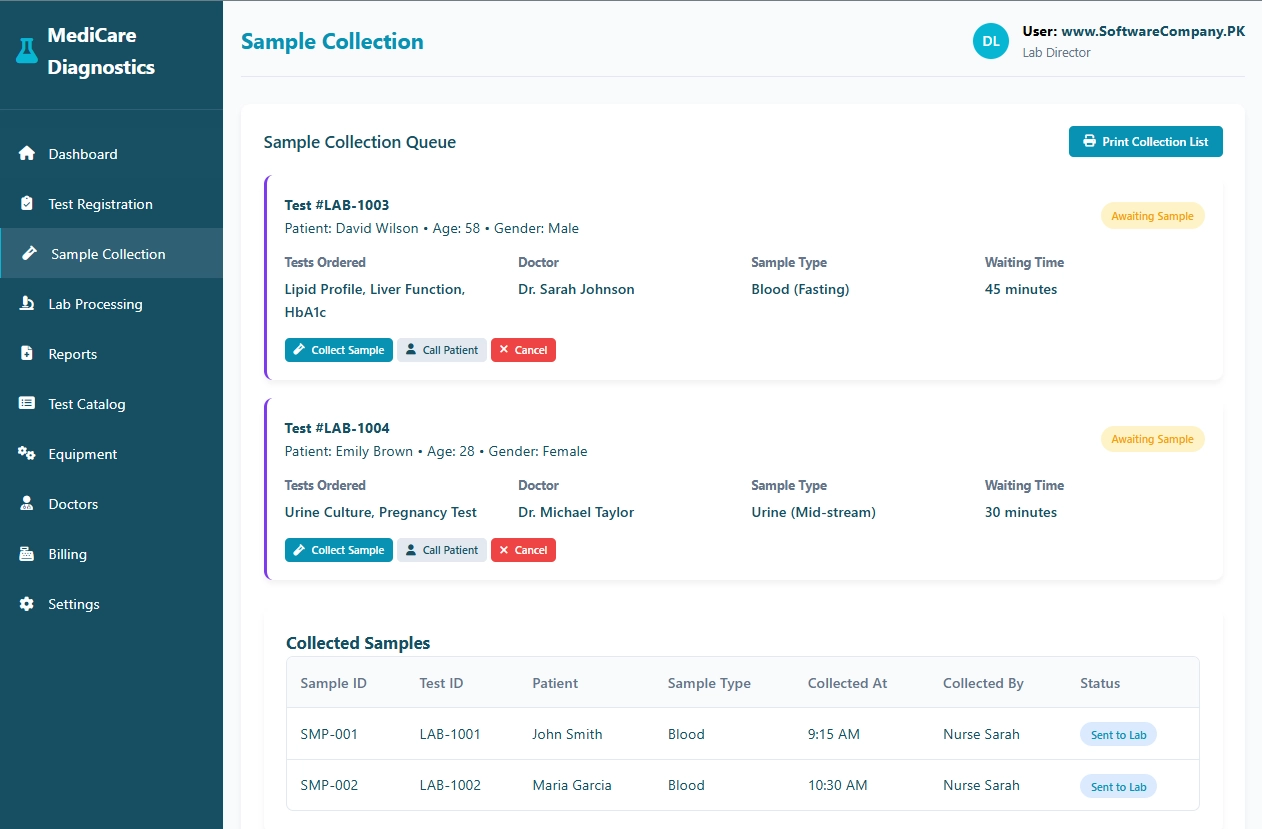 Diagnostic Center Software in Pakistan in Hafizabad
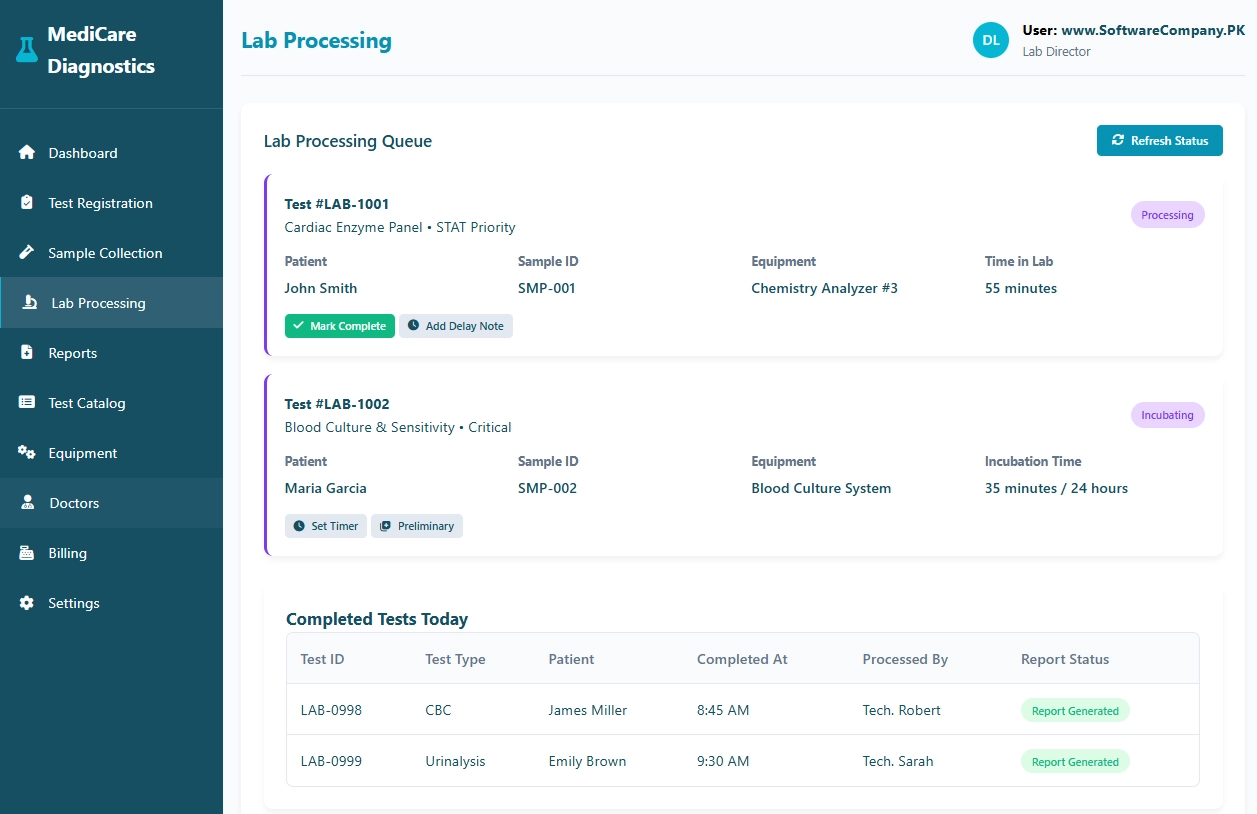
4. Lab Processing
- Shows you: Tests being processed in laboratory
- What you can do here:
- View tests currently being processed
- Check which equipment is being used
- Monitor processing time
- Update test status (processing/complete)
- Record preliminary results
- Set timers for culture tests
- Track technician assignments
- View completed tests for the day
 Diagnostic Center Software in Pakistan in Hyderabad
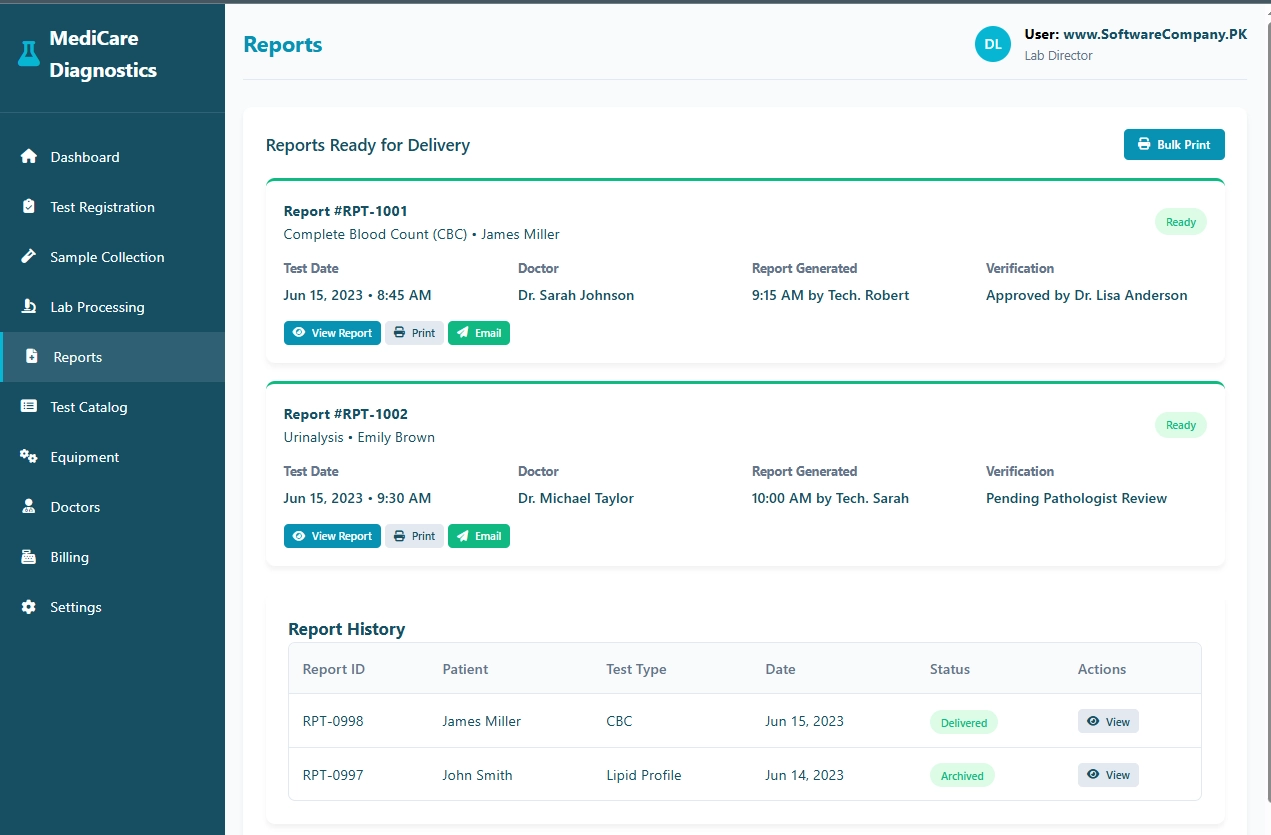
5. Reports
- Shows you: Test reports ready for delivery
- What you can do here:
- View completed reports
- Check report verification status
- See which doctor needs the report
- Print reports for patients/doctors
- Email reports digitally
- View report history
- Archive old reports
- Track report delivery status
 Diagnostic Center Software in Pakistan in Islamabad
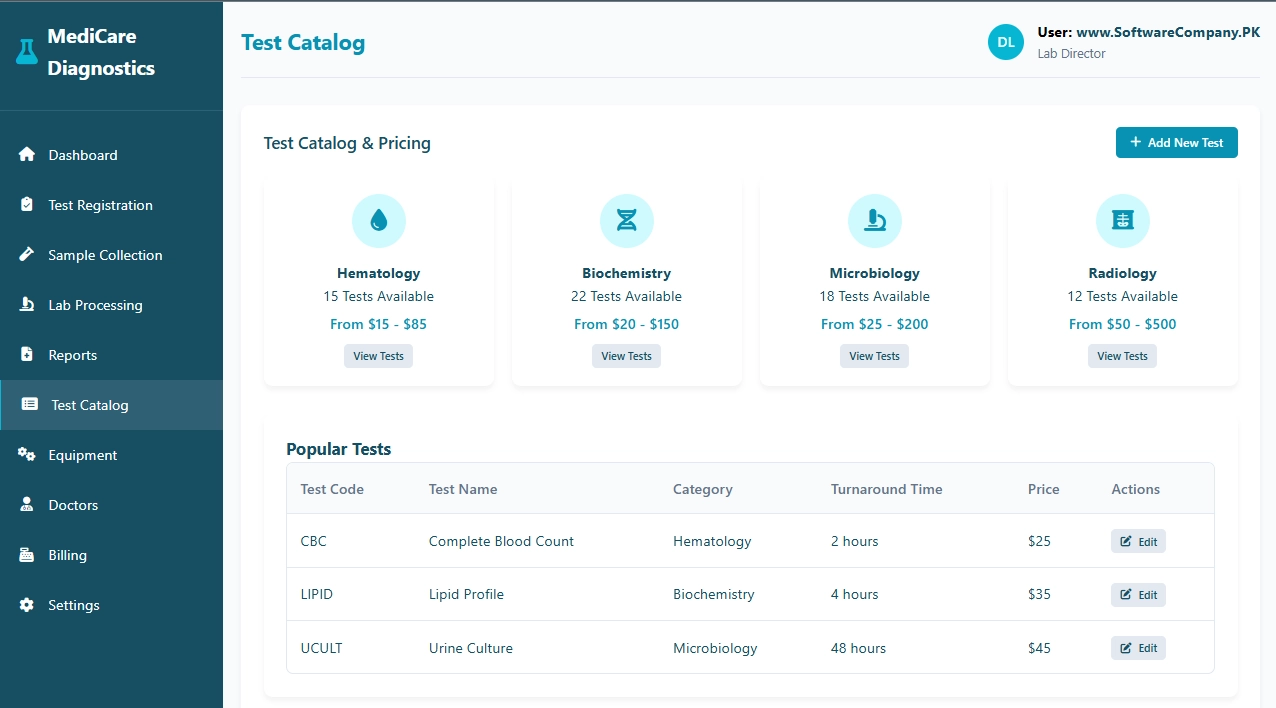
6. Test Catalog
- Shows you: All available tests and prices
- What you can do here:
- Browse test categories (blood, urine, imaging)
- Check test prices
- See turnaround times for each test
- View test descriptions
- Add new tests to catalog
- Edit test information
- Set up test packages/profiles
- Manage test pricing
 Diagnostic Center Software in Pakistan in Jhang
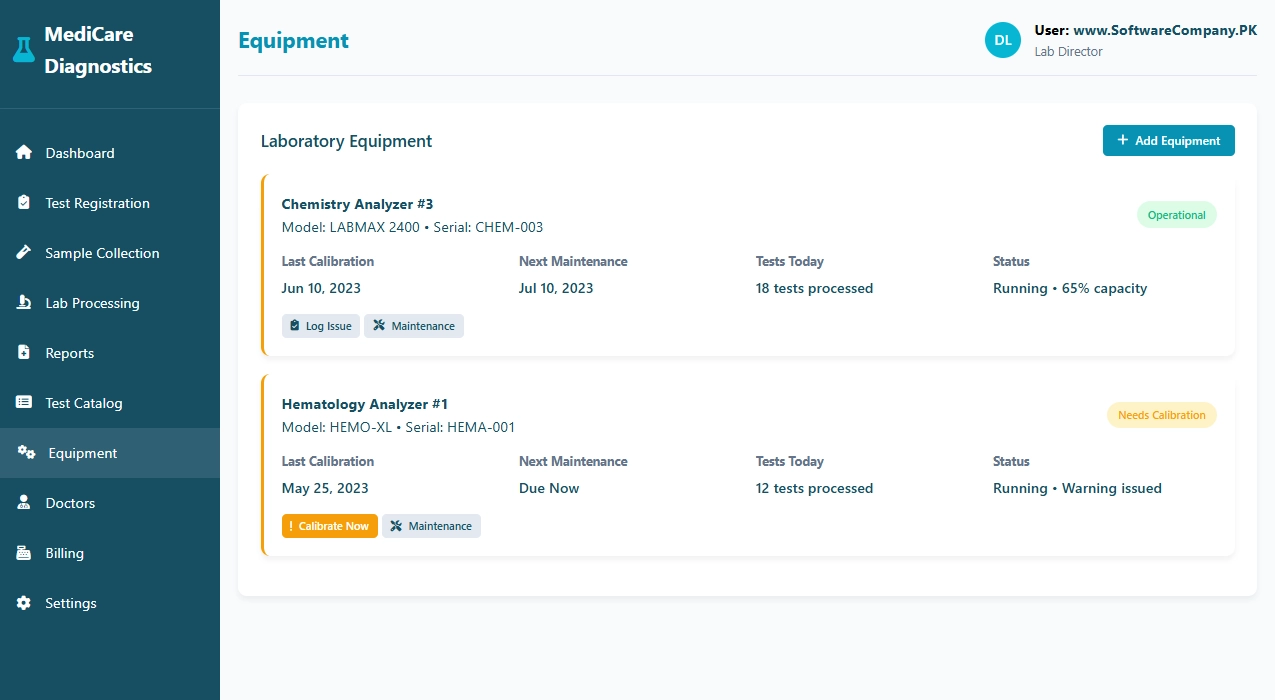
7. Equipment
- Shows you: Laboratory equipment status
- What you can do here:
- View all lab equipment
- Check equipment status (operational/maintenance)
- Track calibration schedules
- Record maintenance history
- Monitor equipment usage
- Log equipment issues
- Schedule preventive maintenance
- Track equipment downtime
 Diagnostic Center Software in Pakistan in Lahore
8. Doctors
- Shows you: Referring doctors database
- What you can do here:
- View all referring doctors
- Check doctor contact information
- See which tests each doctor orders
- Track referral patterns
- Add new doctors
- Update doctor information
- Generate doctor-wise reports
- Manage doctor commissions
9. Billing
- Shows you: Financial transactions and billing
- What you can do here:
- Generate patient invoices
- Process payments (cash, card, insurance)
- Track insurance claims
- View daily revenue
- Check outstanding payments
- Generate financial reports
- Manage discounts
- Print receipts
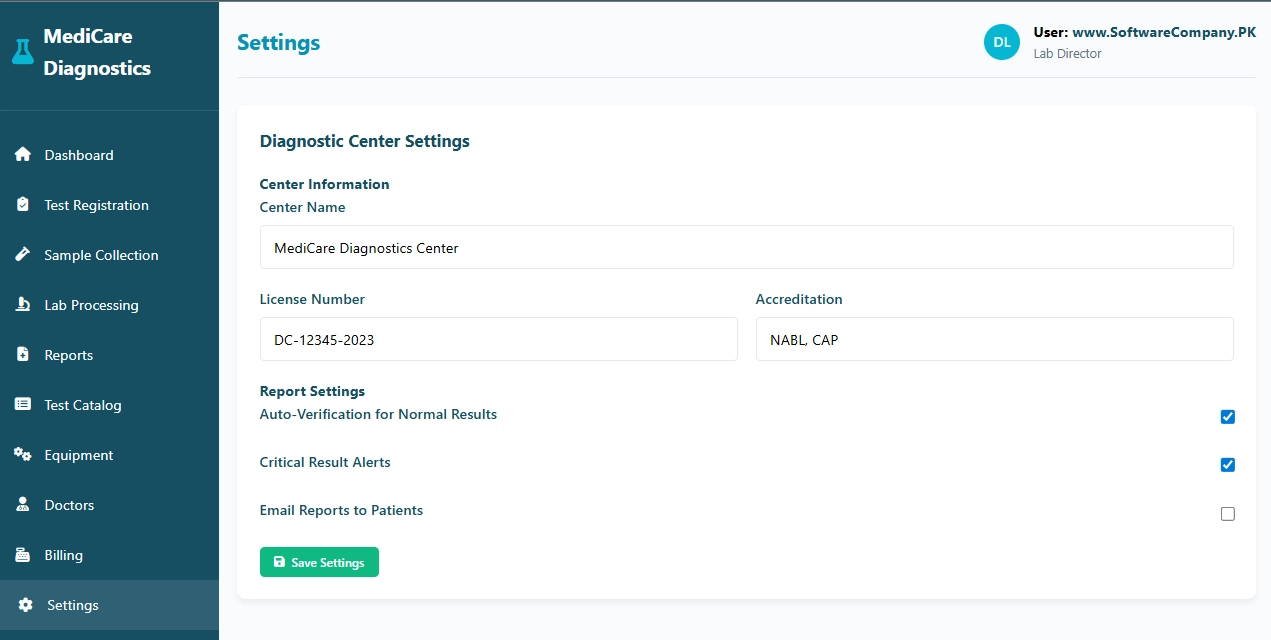
10. Settings
- Shows you: System configuration
- What you can do here:
- Set center information (name, license)
- Configure report settings
- Set up automatic alerts
- Manage user accounts (technicians, staff)
- Configure notification preferences
- Set up email/SMS alerts
- Backup system data
 Diagnostic Center Software in Pakistan in Mianwali
Real-Life Example – How Diagnostic Centers Use the System
- Patient Arrives:
- Reception → Go to “Test Registration” → Enter patient details
- Select tests → Choose from “Test Catalog”
- Generate test ID → System creates unique barcode
- Collect payment → Go to “Billing” → Process payment
- Sample Collection:
- Phlebotomist → Go to “Sample Collection” → See waiting patients
- Collect sample → Scan barcode, record collection time
- Send to lab → Update status to “sent to lab”
- In Laboratory:
- Technician → Go to “Lab Processing” → See tests waiting
- Process test → Run on equipment, enter results
- Verify results → Pathologist reviews, approves
- Generate report → System creates formatted report
- Report Delivery:
- Front desk → Go to “Reports” → See ready reports
- Print report → Give to patient
- Email report → Send digital copy to doctor/patient
- Archive → Store in patient history
- Equipment Management:
- Lab manager → Go to “Equipment” → Check calibration due dates
- Schedule maintenance → Plan downtime
- Log issues → Record any equipment problems
- Doctor Communication:
- Critical results → System alerts doctor automatically
- Doctor queries → Check test status in real-time
- Report delivery → Email/Fax reports to clinics
- Business Management:
- Daily summary → Check dashboard for stats
- Financial reports → Track revenue, outstanding payments
- Inventory → Manage reagents, consumables
- Quality control → Track equipment performance
