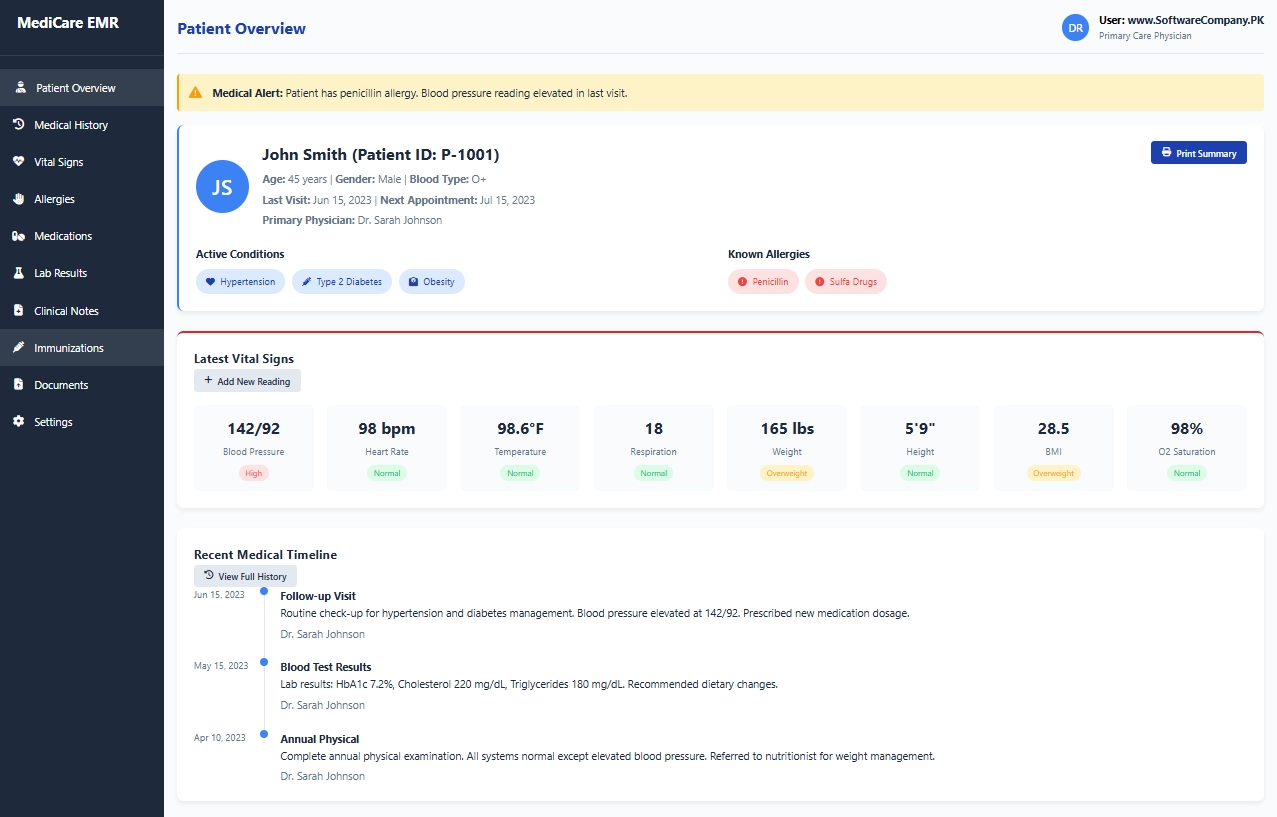
1. Patient Overview
- Shows you: Complete patient summary
- What you can do here:
- See patient’s basic information (age, gender, blood type)
- Check active medical conditions
- View known allergies with severity
- See latest vital signs with status
- Check medical alerts and warnings
- View recent medical timeline
- Print patient summary
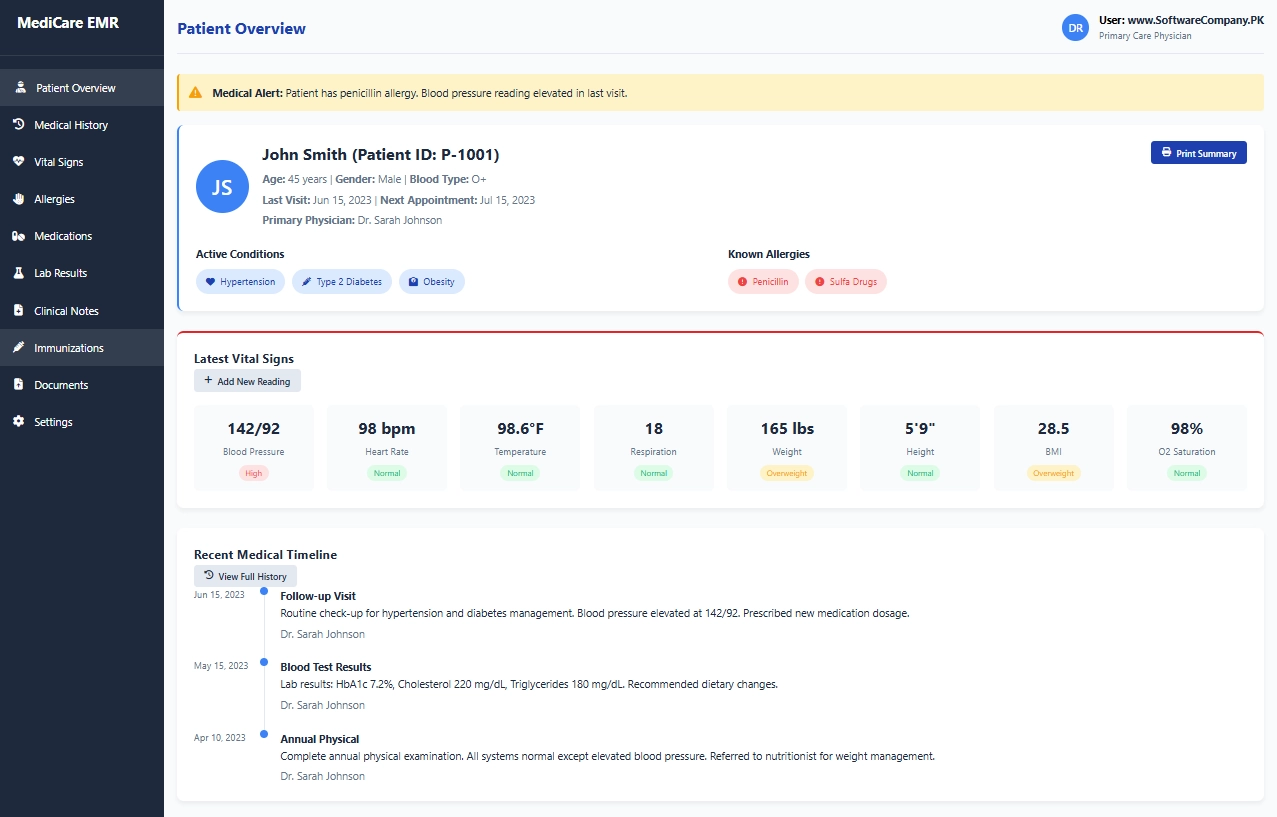
2. Medical History
- Shows you: Complete medical background
- What you can do here:
- View past medical conditions
- Check past surgeries and hospitalizations
- See family medical history (parents, siblings)
- Review social history (smoking, alcohol, occupation)
- Update medical history information
- Track lifestyle habits
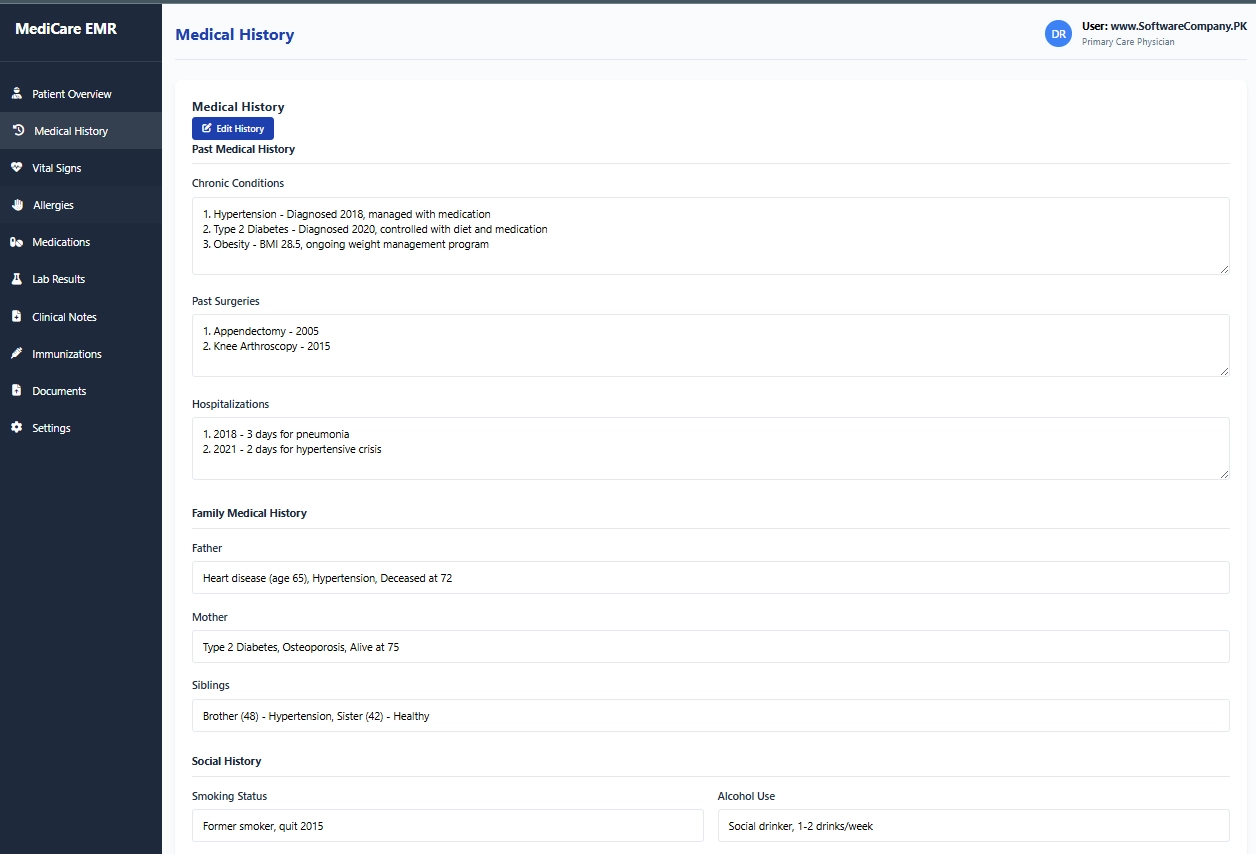
3. Vital Signs
- Shows you: Health measurements over time
- What you can do here:
- View blood pressure history
- Check heart rate trends
- See temperature readings
- Track weight changes
- Monitor BMI progress
- Add new vital sign readings
- Set alerts for abnormal values
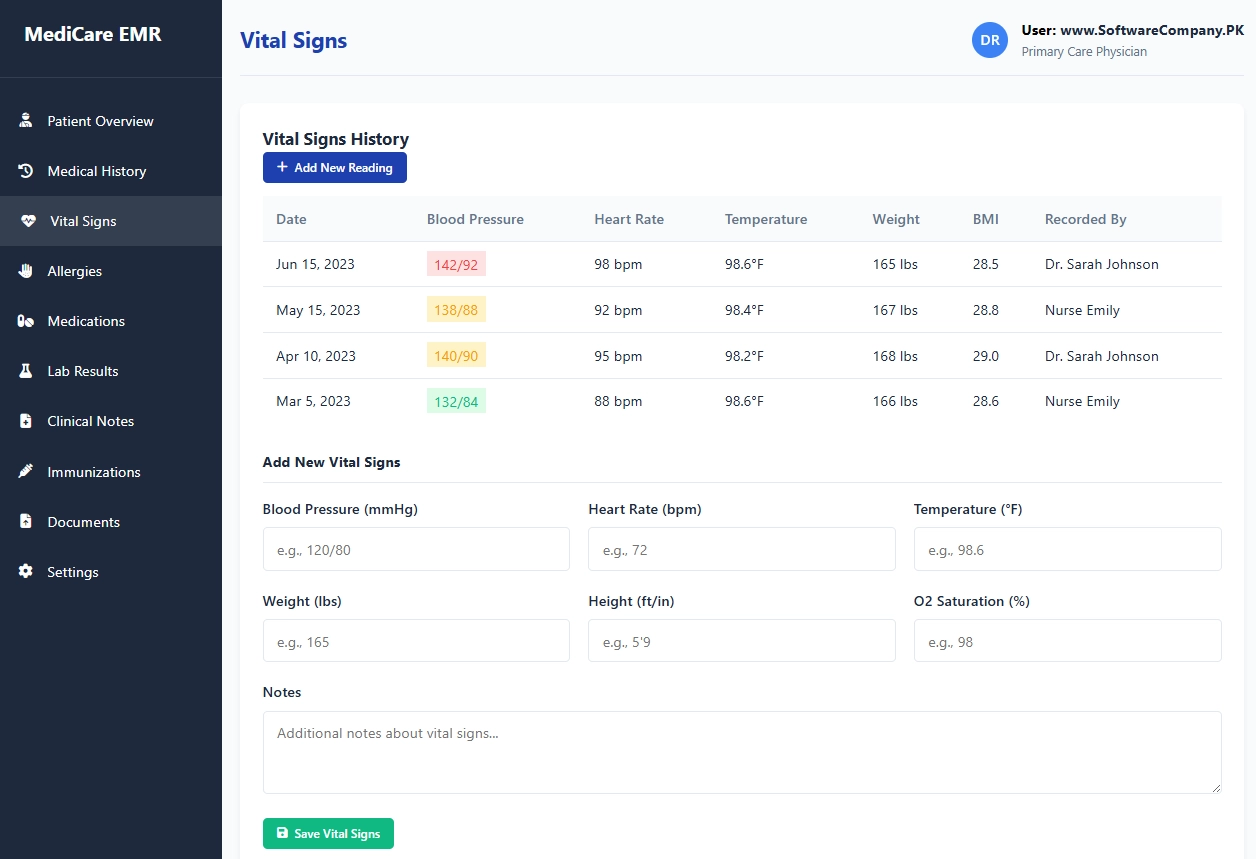
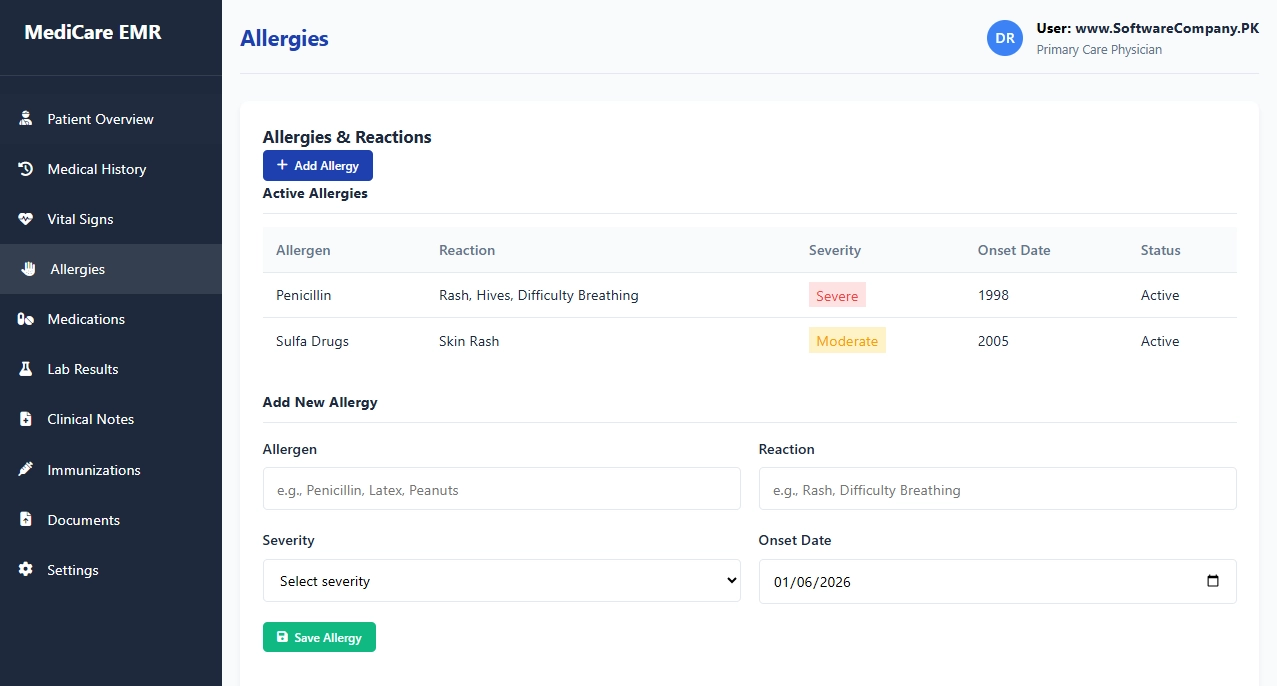
4. Allergies
- Shows you: All known allergies
- What you can do here:
- View allergy list with reactions
- Check allergy severity levels
- See when allergies started
- Add new allergies
- Update allergy information
- Set critical alerts for severe allergies
5. Medications
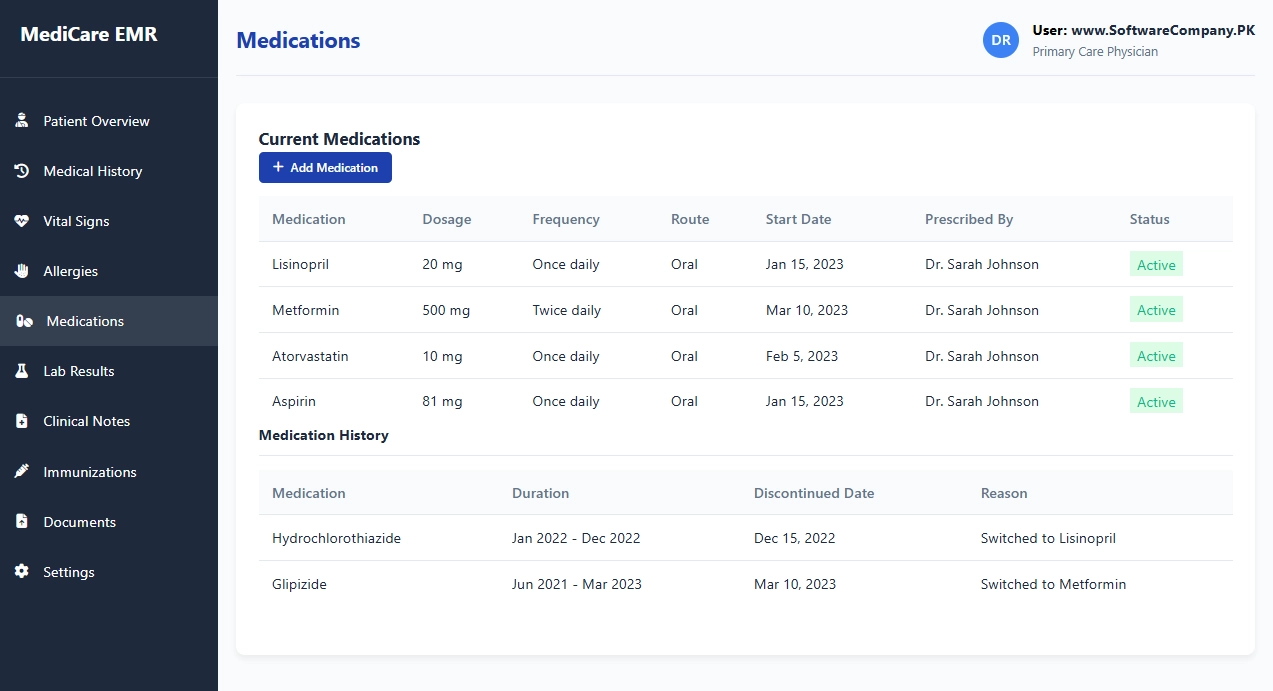
- Shows you: All current and past medications
- What you can do here:
- View current medication list
- Check dosage and frequency
- See who prescribed each medication
- Track medication start dates
- View medication history (past medications)
- Add new medications
- Record medication changes
6. Lab Results
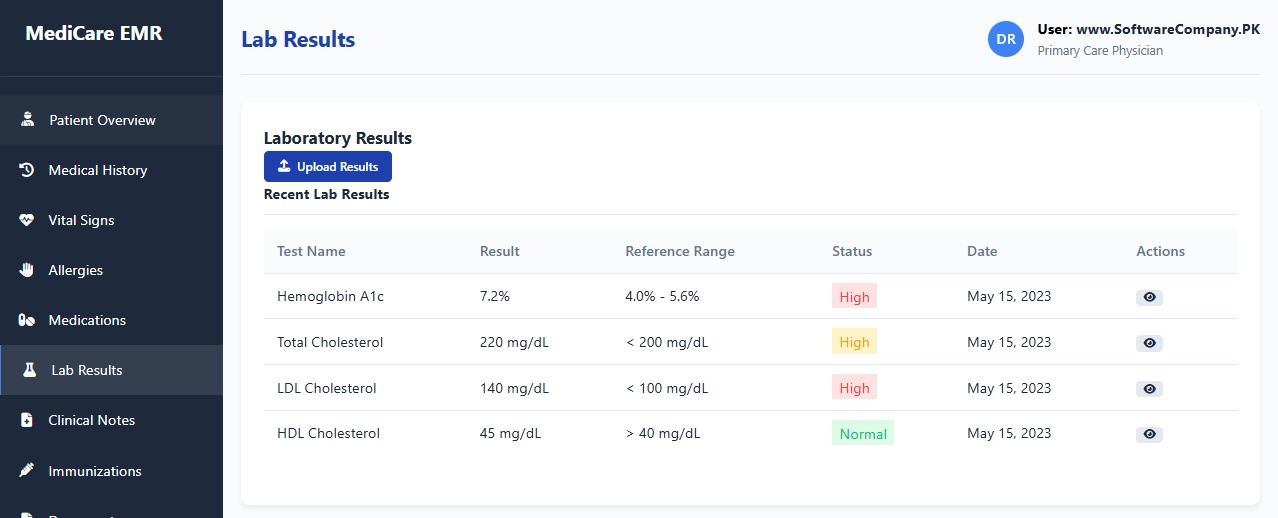
- Shows you: Test results and reports
- What you can do here:
- View blood test results
- Check lab values against normal ranges
- See abnormal results highlighted
- Track lab result trends over time
- Upload new lab reports
- View detailed lab reports
7. Clinical Notes
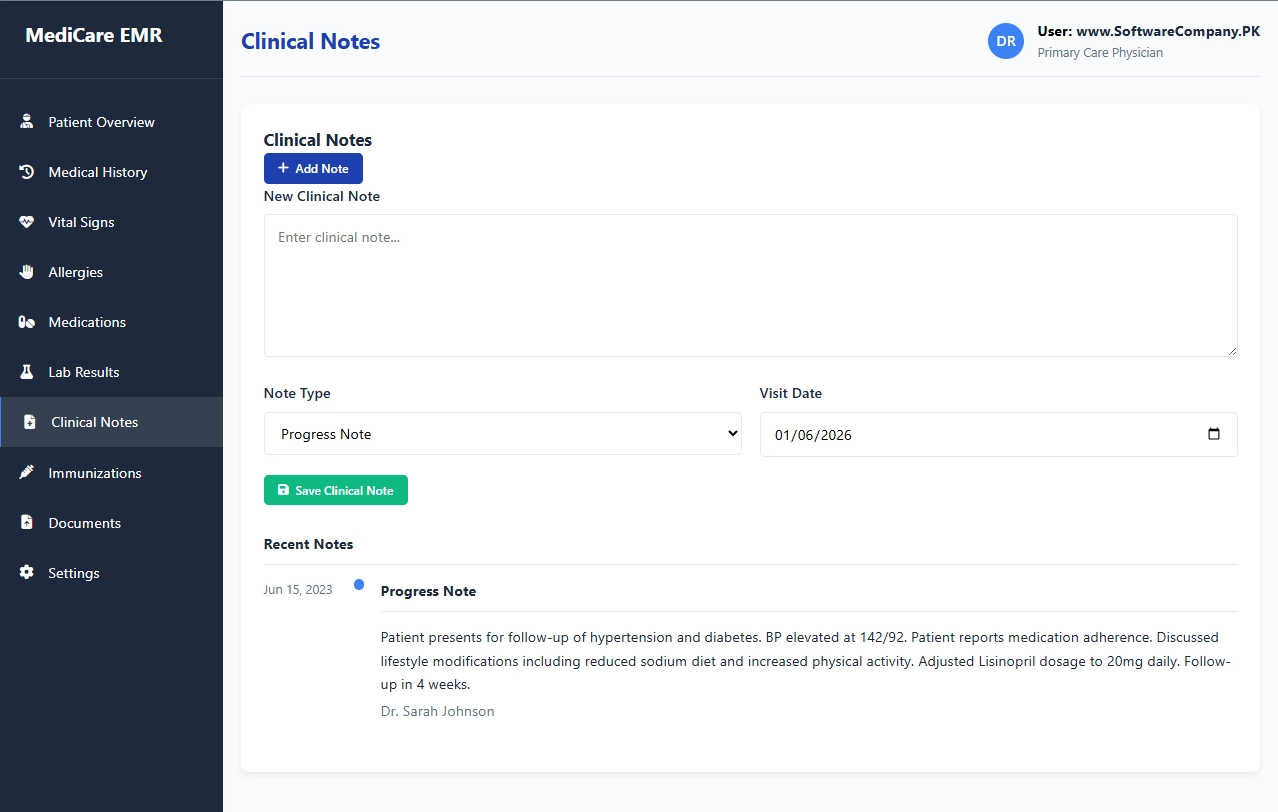
- Shows you: Doctor’s notes and observations
- What you can do here:
- Write new clinical notes
- View previous visit notes
- Check progress notes
- See consultation summaries
- Add procedure notes
- Review discharge summaries
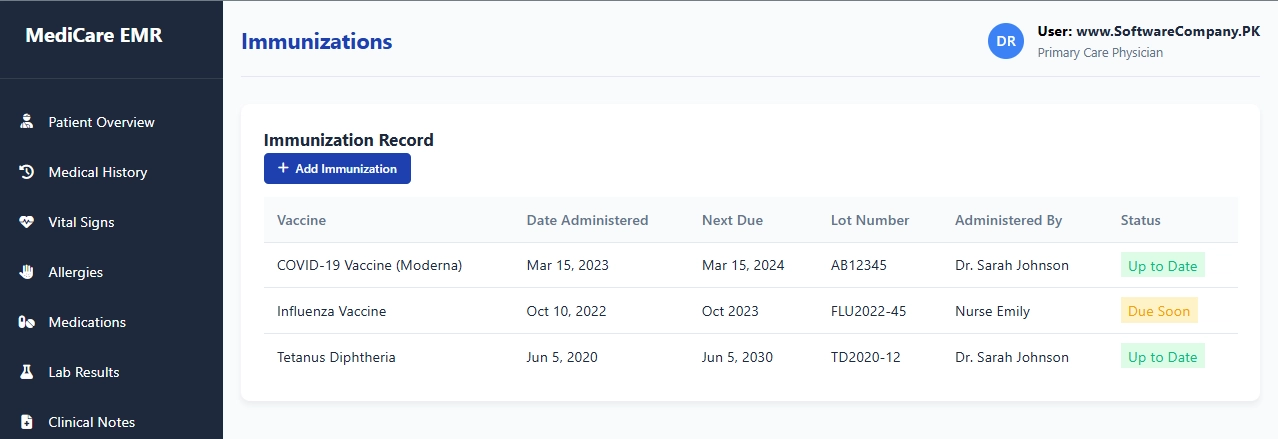
8. Immunizations
- Shows you: Vaccination records
- What you can do here:
- View vaccination history
- Check vaccine due dates
- See lot numbers and dates
- Track which vaccines are up-to-date
- Add new immunizations
- Set reminders for upcoming vaccines
9. Documents
- Shows you: Scanned documents and reports
- What you can do here:
- Upload medical documents
- View scanned reports
- Access imaging results
- Store consent forms
- Archive correspondence
- Download documents
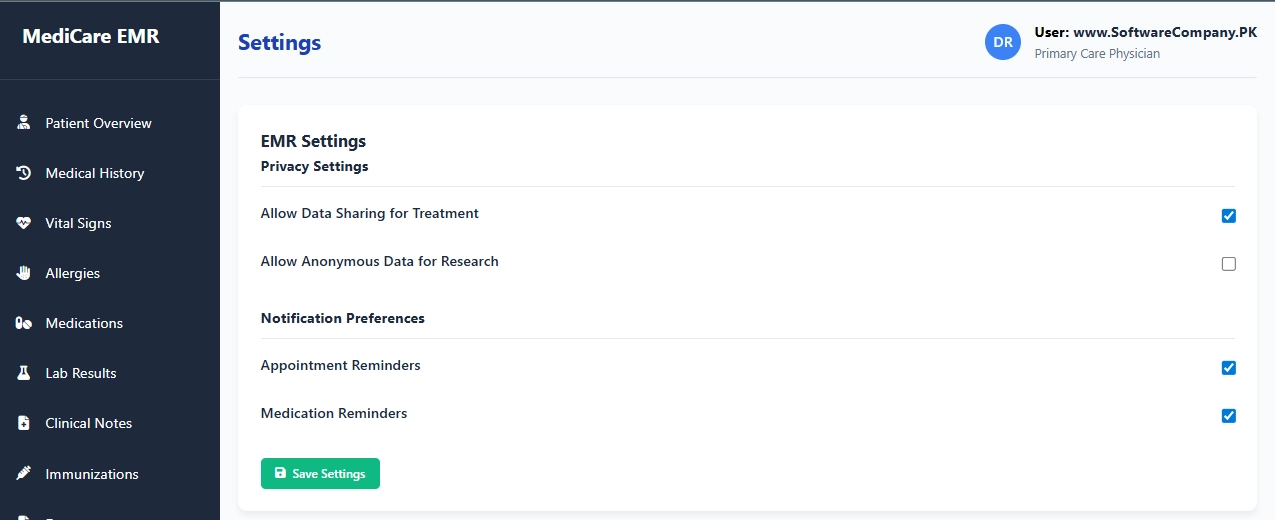
10. Settings
- Shows you: Privacy and system options
- What you can do here:
- Set privacy preferences
- Control data sharing options
- Configure notification settings
- Set up medication reminders
- Manage user preferences
- Backup EMR data
Real-Life Example – How Doctors Use EMR
- During Patient Visit:
- Open EMR → Go to “Patient Overview” → Quick check of patient status
- Take vital signs → Go to “Vital Signs” → Enter new readings
- Check allergies → Go to “Allergies” → Verify before prescribing
- Review medications → Go to “Medications” → Check current meds
- Order labs → Go to “Lab Results” → Check previous results
- Write notes → Go to “Clinical Notes” → Document visit
- When Reviewing Patient:
- Check medical history → Go to “Medical History”
- Track progress → Go to “Vital Signs”
- Review labs → Go to “Lab Results”
- Update medications → Go to “Medications”
- For Preventive Care:
- Check immunizations → Go to “Immunizations”
- Review alerts → Look for warnings on overview
- Document everything → All info stays in one place
EMR keeps all patient information in one digital file, replacing paper charts and making healthcare safer, faster, and more efficient.
