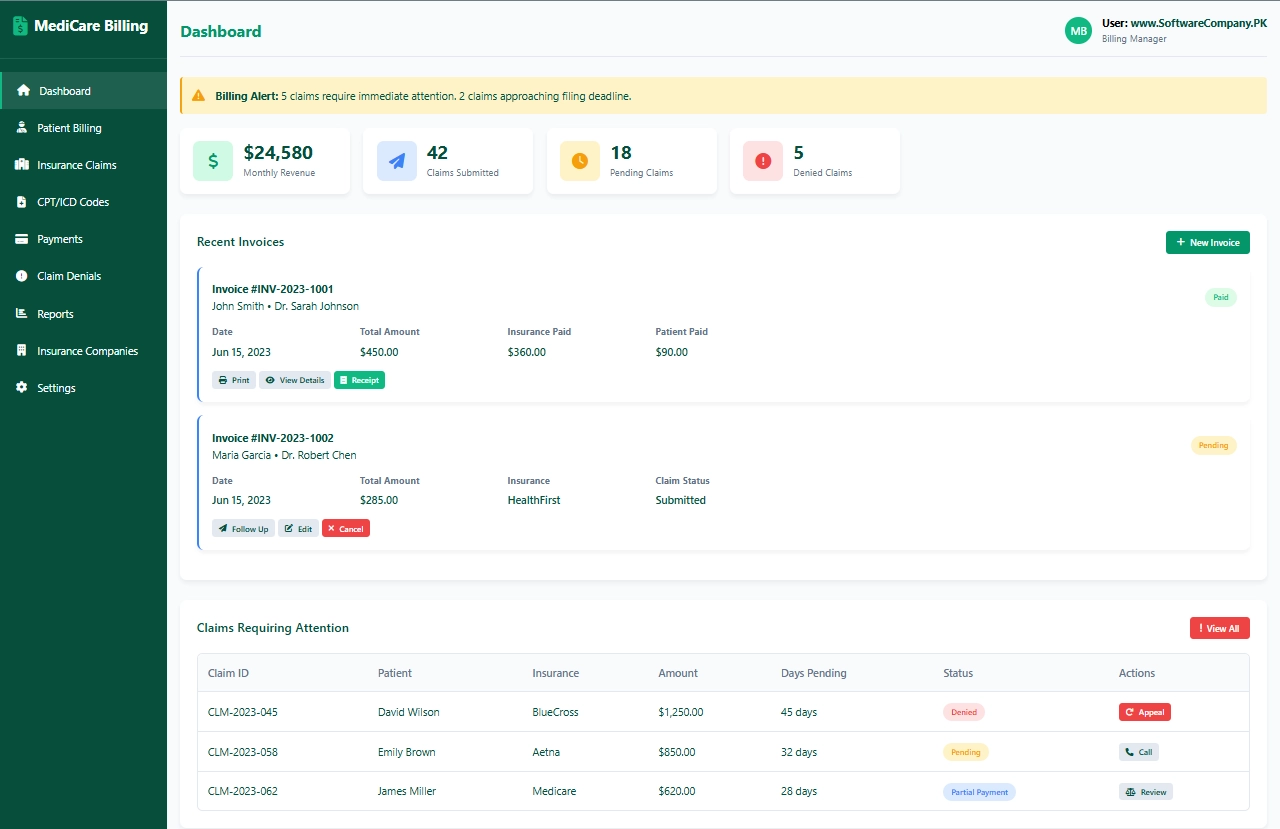
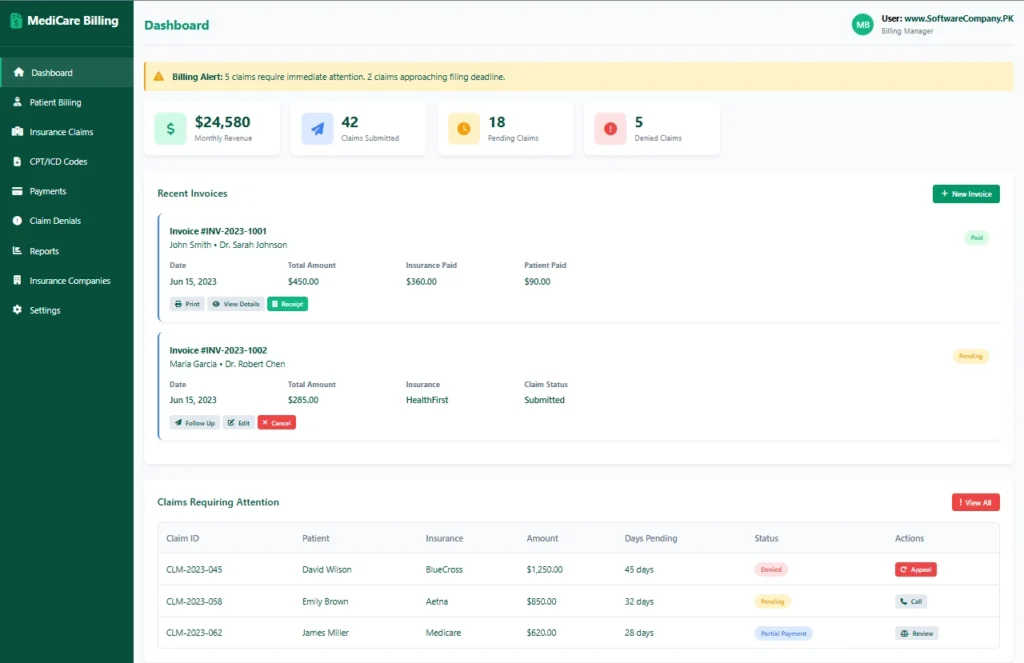
1. Dashboard
- Shows you: Main billing overview screen
- What you can do here:
- See monthly revenue totals
- Check how many claims submitted
- View pending claims count
- See denied claims needing attention
- Check recent invoices
- View claims requiring immediate action
- Get alerts for deadlines and denials
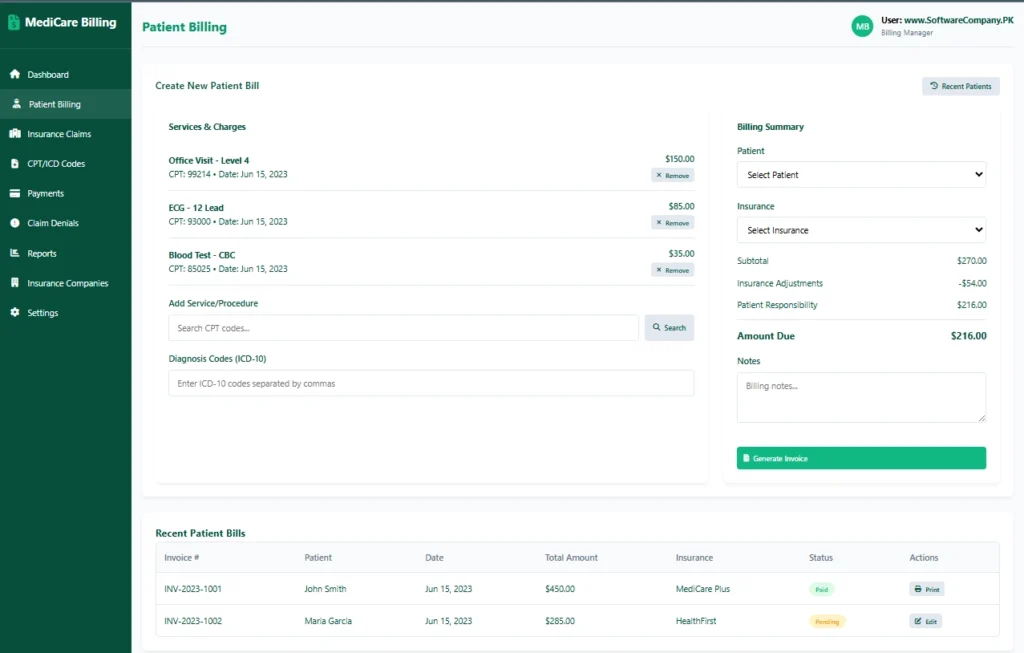
2. Patient Billing
- Shows you: Patient invoice creation and management
- What you can do here:
- Create new patient bills
- Add services/procedures with CPT codes
- Add diagnosis codes (ICD-10)
- Calculate insurance adjustments
- Determine patient responsibility
- Generate invoices
- View recent patient bills
- Edit or reprint invoices
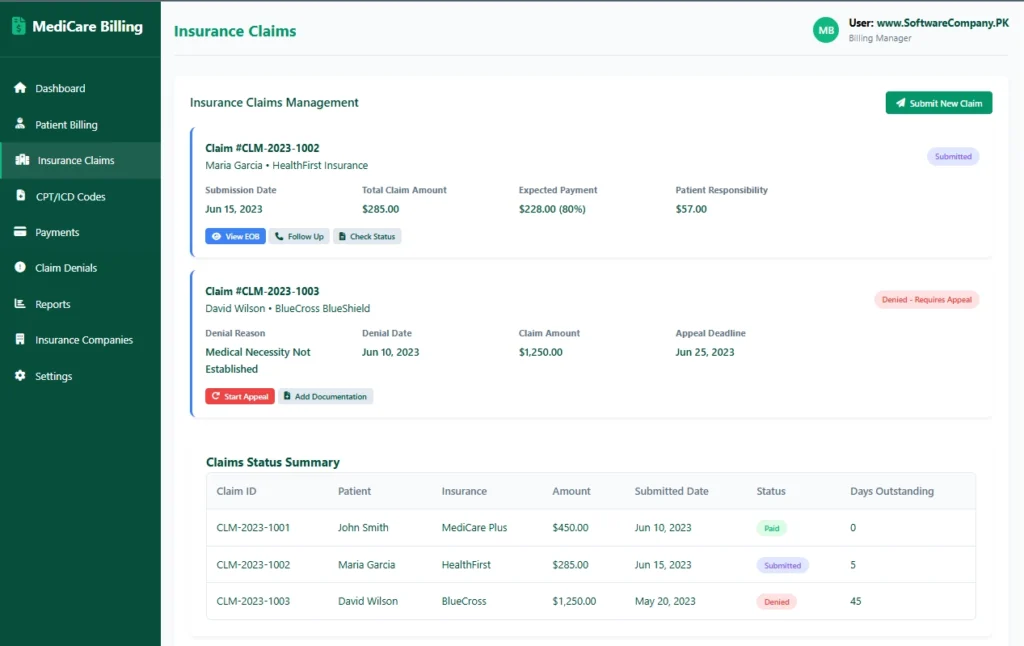
3. Insurance Claims
- Shows you: Insurance claim submission and tracking
- What you can do here:
- Submit new insurance claims
- Track claim submission status
- Check expected payments from insurance
- View Explanation of Benefits (EOB)
- Follow up on pending claims
- See claims status summary
- Track days outstanding
- Manage claim appeals
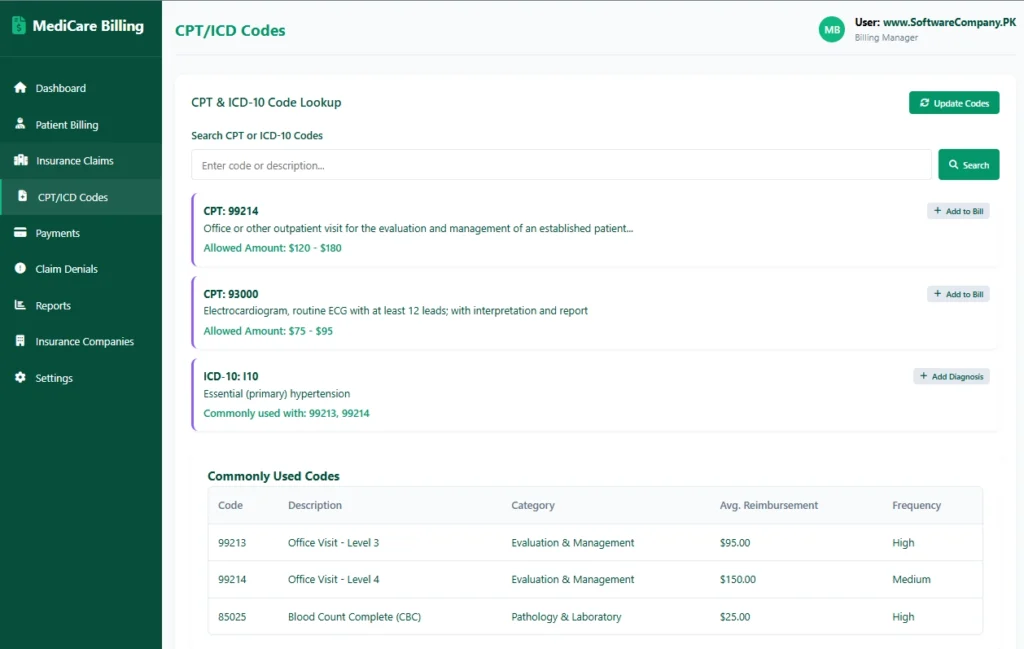
4. CPT/ICD Codes
- Shows you: Medical coding database
- What you can do here:
- Look up CPT procedure codes
- Search ICD-10 diagnosis codes
- See code descriptions
- Check average reimbursement amounts
- Add codes to bills quickly
- View commonly used codes
- Update code databases
- Check code compatibility
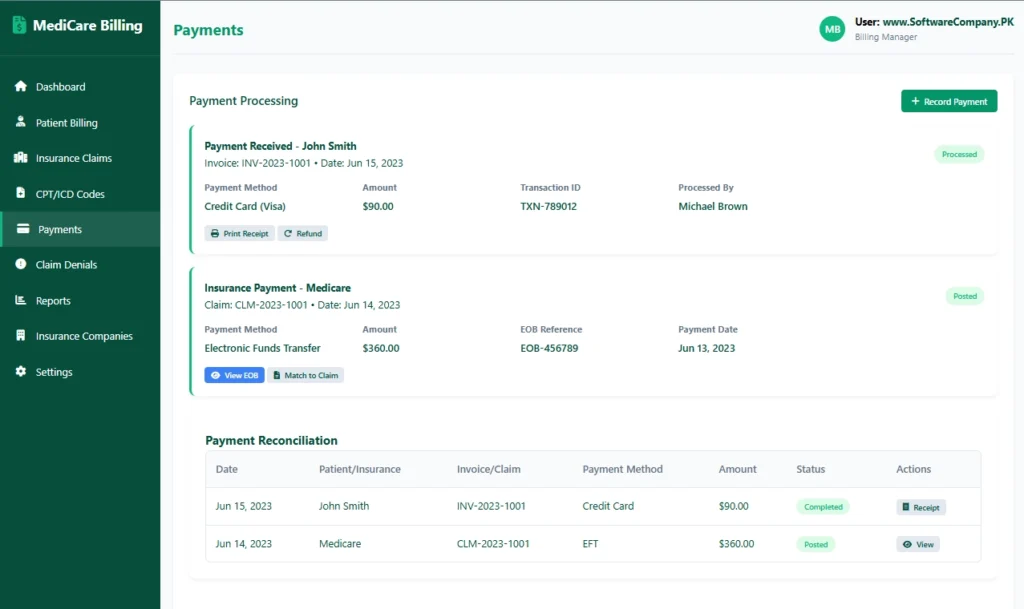
5. Payments
- Shows you: Payment processing and reconciliation
- What you can do here:
- Record patient payments
- Process insurance payments
- Match payments to claims/invoices
- Print receipts for patients
- Handle refunds
- View payment reconciliation
- Track payment methods (cash, card, EFT)
- Manage payment posting
6. Claim Denials
- Shows you: Denied claims management
- What you can do here:
- View all denied claims
- Check denial reasons
- See appeal deadlines
- Start appeal process
- Add supporting documentation
- Track appeal status
- Identify denial patterns
- Reduce future denials
7. Reports
- Shows you: Billing analytics and reports
- What you can do here:
- Generate revenue reports
- View aging reports (30/60/90 days)
- Check denial rate reports
- See insurance performance reports
- Generate patient statements
- Create collection reports
- Export data for accounting
- Track key performance indicators
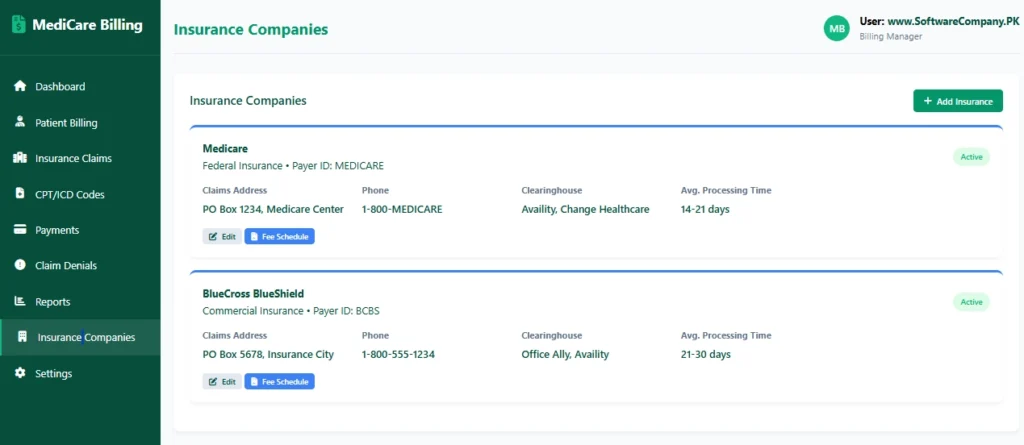
8. Insurance Companies
- Shows you: Insurance provider database
- What you can do here:
- View all insurance companies
- Check claims addresses
- See payer IDs
- Track processing times
- View fee schedules
- Add new insurance companies
- Edit insurance information
- Check network participation
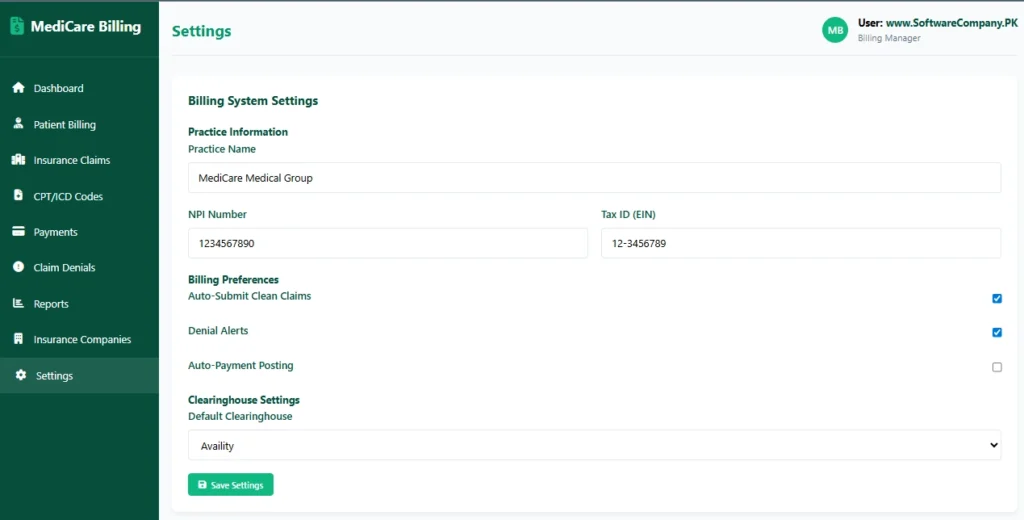
9. Settings
- Shows you: System configuration
- What you can do here:
- Set practice information (NPI, Tax ID)
- Configure billing preferences
- Set up auto-submission
- Configure clearinghouse settings
- Set up denial alerts
- Manage user accounts
- Configure payment posting
- Backup billing data
Real-Life Example – How Medical Billers Use the System:
When Patient Visits Doctor:
- Medical coder → Go to “Patient Billing” → Create new bill
- Add services → Select CPT codes for procedures done
- Add diagnoses → Enter ICD-10 codes from doctor’s notes
- Check insurance → See expected payment vs patient responsibility
- Generate claim → System creates electronic claim form (837)
Insurance Claim Submission:
- Biller → Go to “Insurance Claims” → Submit clean claim
- Choose clearinghouse → System sends to insurance electronically
- Track submission → Get confirmation number
- Monitor status → Check if claim received and processed
Payment Processing:
- Insurance payment arrives → Go to “Payments” → Record EFT payment
- Match to claim → Link payment to original claim
- Post adjustments → Record insurance adjustments
- Patient payment → Record patient co-pay or balance
Denial Management:
- Denied claim alert → Go to “Claim Denials” → Check reason
- Fix errors → Correct coding or documentation
- Submit appeal → Add supporting documents
- Track appeal → Follow through to resolution
Patient Communication:
- Generate statements → Create patient bills for balances
- Send reminders → System automatically sends payment reminders
- Answer queries → Check claim status for patients
Financial Management:
- Daily reconciliation → Match payments to bank deposits
- Aging reports → Check which claims are overdue
- Revenue analysis → See which services generate most revenue
- Insurance performance → Track which insurers pay fastest
Code Management:
- Code updates → Regularly update CPT/ICD codes
- Fee schedules → Update allowed amounts from insurers
- Code validation → Ensure codes are current and valid
